How Inspire works
Application of Real-Time Production Control System in garment manufacturing.
Right from cutting room production to washing to the packing of garments, every aspect of bulk production can be tracked in real time for each order. Through statistical quality control (SQC) module, you can track the person responsible for defects in apparel and also zone in on the operations in which defect generation is more.
The primary components of a RFID based Real-Time Production Control System responsible for driving autonomous shop floor production management is varied and sophisticated. The hardware components include Host server, SQL server (Database server), Network Manager, Controller, operator terminal, RFID reader, RFID tags, Bundle sticker printer (barcode printer), and LCD TV screen. Host server, SQL server, Network manager, and controller are connected to the LAN via ethernet cable. The operator terminals are connected to the controller through a network cable.
Operator terminals are installed on the workstations where the factory desires to capture data.The RFID reader is attached to each operator terminal. The terminal is used for entering employee transaction information such as scanning bundles (garment pieces), sign-on and sign-out time on the workstation, lost time records etc. Operators can view their production data, earning and efficiency information on the terminal display. Depending on the operator’s inquiry, terminal displays relevant information in real time. The same terminal can be used as sewing terminal, SQC terminal, Group incentive terminal and shared terminal.
RFID tags are used as bundle tags just like bundle tickets. Upon scanning a bundle tag on the operator terminal, system records who did that bundle, when the scanning is done, on which operation of the OB has the scan been done etc. The RFID tags can be used in different ways like employee tags (for employee sign-on), supervisor tags (for lost time request approval) and operation tag (to change operation when an operator does multiple operations on the same workstation). RFID tags are available at various frequency levels.
LCD screens are used for displaying key information on the floor. LCD screens are normally hung on the wall at the end of the line. In an LCD screen, reports like present and absent employees, line output, line target, line performance, and hourly production report are displayed.
Once the Shop Floor Control System has been installed in the apparel manufacturing unit, following key activities need to be performed for optimizing the system.
Data preparation
Initially user needs to enter data into the system like shift timing details, employee master, operation and style master, and operation bulletin. Normally, industrial engineering department takes care of data entry activities. Data masters can be imported from excel file or can be added from system menus..
Bundle tag preparation
Bundle tags are prepared by scanning each tag on the RFID tag writer. Depending on the lay plan and cut bundle details, bundle list is made on the system. A unique number is allocated for each bundle. The RFID tag carries the unique bundle number. After bundle tags are prepared, each bundle tag is labeled with a sticker to identify the bundle number.
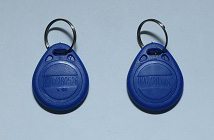
Attaching Bundle tag
The tag is attached to each bundle or to individual pieces in case factory follows single piece bundle system. Multiple RFID tags may be required to be attached to each bundle depending on the production system. For example, when the garment is processed on different sections at the same time (like part sections of a shirt making line – collar, cuff, back and front parts of a bundle can be stitched at the same time). Operators receive the RFID tags with the bundles (cuttings).
Operator terminal setup
Each operator terminal is set-up with a unique terminal id and operation number. This is similar to the unique IP address being allocated to each computer device. Operators log in to their respective terminals when they work on the line.
Scanning bundle tags
When operators work on the bundle, they scan bundle tag (RFID Tag) to the RFID reader attached to the terminal. Operators need to scan bundle tags as they start working for the bundle.
Report reviewing and report inquiry
As soon as operators scan bundle tags and complete their respective first bundle, LCD screens start displaying production details and the display automatically gets updated. Line supervisor views and analyzes the reports to manage their lines. The operator’s terminal also displays relevant and useful information to operators.
Reports and data analysis
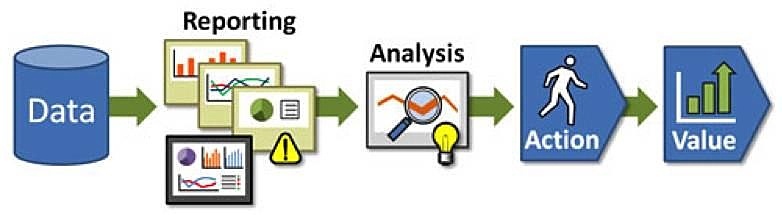
The system captures all transactions made on the floor. Data based action is taken by the line supervisor after viewing and analyzing the reports.
The system captures and records all the transactions made on terminals by employees and supervisors. Line supervisors’ comments and managers’ comments on low production and idle lines are fed using tabs or mobile applications. The system is already equipped with Business Intelligence (BI) tools, common production, and WIP reports. Users can further develop custom reports and analyze the data as required.
Here are few examples of common production reports :
Operator status (lists present operators, absent operators, and portrays operator performance etc.)
Line balancing chart (visual display of line balancing)
Hourly Production Report (hourly output report of each operator)
Style status (percentage of work completed, work remained and manpower required to complete remaining work)
Line performance (in efficiency% and lost time)